
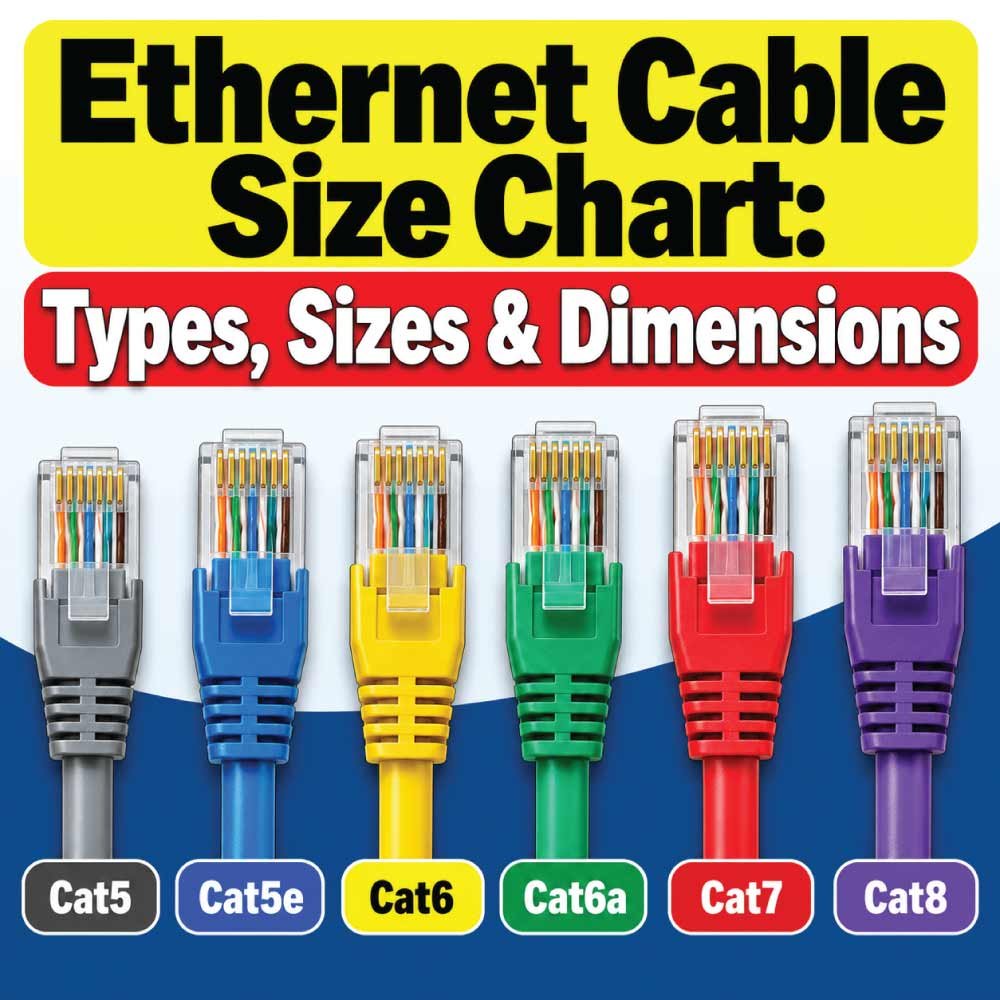
Choosing the right Ethernet cable is not simply a matter of picking the cable with the highest category number. Ethernet cable size can refer to several different specifications, including cable category, conductor gauge, overall cable diameter, bandwidth, and maximum supported network distance.
For home networks, offices, data centers, PoE installations, and other wired networks, understanding these differences helps you select a cable that fits both the equipment and the installation environment.
This Ethernet cable size chart compares common categories such as Cat5e, Cat6, Cat6A, Cat7, and Cat8. It also explains conductor sizes, cable dimensions, shielding, bandwidth, Ethernet speeds, length limits, and practical applications.
What Does Ethernet Cable Size Mean?
The term “Ethernet cable size” can describe more than one measurement. Unlike a bolt or pipe, Ethernet cable does not have one universal size dimension.
When people search for Ethernet cable sizes, they may be looking for:
Cable category, such as Cat5e, Cat6, or Cat6A
Conductor gauge, commonly expressed in AWG
Overall cable diameter
Cable length
Bandwidth rating
Maximum Ethernet speed
Number of twisted pairs
Shielding construction
All standard twisted-pair Ethernet cables used for conventional networking have four twisted pairs, or eight individual conductors.
The conductor gauge and outside diameter can vary significantly between manufacturers. A shielded Cat6 cable, for example, can have a noticeably larger outside diameter than an unshielded version of the same category.
Therefore, the category should be treated as the primary performance specification, while physical dimensions should be checked against the manufacturer’s datasheet when space or installation hardware is important.
Ethernet Cable Size Chart
The following chart provides a practical comparison of widely encountered twisted-pair Ethernet categories.
| Cable Category | Bandwidth | Typical Maximum Ethernet Speed | Typical Conductor Gauge | Pairs | Common Use |
|---|---|---|---|---|---|
| Cat5e | 100 MHz | 1 Gbps | 24–26 AWG | 4 pairs | Home and basic office networks |
| Cat6 | 250 MHz | 1 Gbps; up to 10 Gbps over shorter distances | 22–24 AWG | 4 pairs | Home, office, PoE and general networking |
| Cat6A | 500 MHz | 10 Gbps | 22–24 AWG | 4 pairs | High-speed networks and data centers |
| Cat7 | 600 MHz | 10 Gbps | 22–24 AWG | 4 pairs | Shielded high-performance installations |
| Cat8 | 2000 MHz | 25/40 Gbps | 22–24 AWG | 4 pairs | Data centers and short high-speed links |
These values describe common constructions rather than a guaranteed physical size for every cable. AWG and outside diameter can vary by manufacturer, conductor type, shielding, insulation, and cable construction.
Ethernet Cable Categories and Sizes
Cat5e Cable Size
Cat5e, or Category 5e, is one of the most common Ethernet cable types for residential and small-business networks.
It supports bandwidth up to 100 MHz and is commonly used for Gigabit Ethernet. Cat5e cable normally contains four twisted pairs and is available in different conductor gauges and jacket constructions.
A typical Cat5e cable may use 24 AWG or 26 AWG conductors, although the exact construction should always be verified on the cable marking or manufacturer’s specification sheet.
Cat5e is suitable for:
- Home internet connections
- Gigabit Ethernet networks
- Office computers
- Network printers
- Wireless access points
- IP cameras
- VoIP phones
- Basic Power over Ethernet installations
For most ordinary residential applications, Cat5e can still provide sufficient performance. However, if you are installing new permanent cabling and want more capacity for future equipment, Cat6 or Cat6A may be preferable.
Cat6 Cable Size
Cat6 provides a higher bandwidth rating than Cat5e and is widely used in modern residential and commercial installations.
Cat6 is rated to 250 MHz and commonly supports Gigabit Ethernet at the full 100-meter channel distance. It can also support 10 Gigabit Ethernet over shorter distances, depending on installation conditions and the cabling system.
Cat6 conductors are often available in 22–24 AWG constructions.
The cable can be thicker than Cat5e because manufacturers may use larger conductors, thicker insulation, internal separators, or shielding.
Cat6 is a popular choice for:
- New home wiring
- Business networks
- Network switches
- Wi-Fi access points
- Security cameras
- PoE devices
- NAS systems
- High-speed desktop connections
Cat6A Cable Size
Cat6A is designed for 10 Gigabit Ethernet over the full 100-meter channel, when the complete cabling system meets the appropriate requirements.
It has a bandwidth rating of 500 MHz, twice that of Cat6.
Cat6A cable is generally larger and less flexible than Cat6 because the construction must provide greater protection against crosstalk and other signal-interference effects.
Common Cat6A conductor sizes include 22–24 AWG, but the overall cable diameter can vary considerably depending on whether the cable is shielded or unshielded.
Cat6A is particularly useful for:
- 10GbE networks
- Server rooms
- Data centers
- High-performance offices
- Large PoE installations
- Infrastructure designed for long-term upgrades
If cable tray capacity, conduit fill, patch-panel density, or bend radius is important, check the manufacturer’s physical dimensions before purchasing.
Cat7 Cable Size
Cat7 cabling is designed for high-performance networking and is commonly associated with 600 MHz bandwidth and extensive shielding.
Unlike the common unshielded Cat5e and Cat6 cables found in residential installations, Cat7 constructions typically use shielding around individual pairs and/or the overall cable.
This shielding can increase the cable’s outside diameter and make it less flexible.
Cat7 may be encountered in:
- Specialized network installations
- Shielded infrastructure
- Industrial environments
- High-performance structured cabling
However, a higher category number does not automatically mean every installation will be faster. Network speed also depends on the Ethernet standard, transceivers, connectors, patch panels, switches, and other components.
Cat8 Cable Size
Cat8 is intended primarily for short, high-speed connections, particularly in data-center environments.
It supports bandwidth up to 2000 MHz and is associated with 25GBASE-T and 40GBASE-T applications over limited channel distances.
Cat8 cables are generally thicker and less flexible than lower-category cables because of their high-frequency construction and shielding requirements.
They are normally unnecessary for ordinary home internet connections.
For most residential users, Cat6 or Cat6A provides a much more practical balance of performance, cost, flexibility, and installation convenience.
Ethernet Cable AWG Size Chart
AWG stands for American Wire Gauge. It describes the diameter of the individual copper conductor.
With AWG, a smaller number means a thicker conductor. Therefore, 22 AWG is thicker than 24 AWG, while 26 AWG is thinner than 24 AWG.
| Conductor Gauge | Approx. Conductor Diameter | Relative Size | Common Ethernet Use |
|---|---|---|---|
| 22 AWG | 0.644 mm | Thick | Some Cat6/Cat6A and PoE cables |
| 23 AWG | 0.573 mm | Thick | Common in solid Cat6/Cat6A |
| 24 AWG | 0.511 mm | Medium | Common Cat5e and Cat6 |
| 26 AWG | 0.405 mm | Thin | Patch cables and compact installations |
| 28 AWG | 0.321 mm | Very thin | High-density patch cables |
The dimensions above refer to the metal conductor diameter, not the diameter of the finished Ethernet cable.
A finished cable also contains insulation around each conductor, separators, shielding in some designs, and an outer jacket. Consequently, the outside diameter can be substantially larger.
Ethernet Cable Outside Diameter
The overall outside diameter is one of the most important physical dimensions when installing Ethernet cable.
There is no single standard outside diameter for every Cat5e, Cat6, Cat6A, Cat7, or Cat8 cable.
For example, two Cat6 cables from different manufacturers can have different outside diameters because one may use:
- Larger conductors
- Thicker insulation
- A central spline
- Overall shielding
- Individual pair shielding
- A different jacket material
- A plenum-rated construction
For this reason, it is better to think of Ethernet cable diameter as a manufacturer-specific specification rather than a fixed category dimension.
If you are installing cable through conduit, raceway, cable tray, or a crowded patch panel, use the manufacturer’s published nominal outside diameter.
Ethernet Cable Length Chart
Ethernet cable length is another important part of cable sizing.
For conventional twisted-pair structured cabling, the commonly used maximum channel length is 100 meters, including the permanent link and patch cords.
A typical structured-cabling model uses:
- 90 meters maximum permanent link
- Up to 10 meters of combined patch cords and equipment cords
- 100 meters maximum channel
| Cable Segment | Typical Maximum |
|---|---|
| Permanent link | 90 m |
| Patch/equipment cords combined | Up to 10 m |
| Complete channel | 100 m |
| 100 m in feet | Approximately 328 ft |
Actual performance depends on the cabling category, Ethernet standard, installation quality, connectors, temperature, and other conditions.
For distances beyond the normal copper Ethernet range, fiber optic cabling is often a better solution rather than simply using a longer copper cable.
Ethernet Cable Size by Speed
Cable category and Ethernet speed are closely related, but they are not exactly the same thing.
A network can only operate at a particular speed when the entire link supports that speed.
| Cable Type | Bandwidth Rating | Common Ethernet Speeds |
|---|---|---|
| Cat5e | 100 MHz | 100 Mbps, 1 Gbps |
| Cat6 | 250 MHz | 1 Gbps; 10 Gbps at shorter distances |
| Cat6A | 500 MHz | Up to 10 Gbps |
| Cat7 | 600 MHz | Up to 10 Gbps |
| Cat8 | 2000 MHz | 25 Gbps and 40 Gbps over short channels |
The fastest cable in the installation does not guarantee the fastest network.
For example, installing Cat8 cable will not make a network switch with a 1 Gbps Ethernet port operate at 40 Gbps.
The lowest-capability component in the complete connection can limit the resulting link speed.
Shielded vs. Unshielded Ethernet Cable
Ethernet cables can also differ in their shielding construction.
Unshielded Twisted Pair
UTP cable does not use metallic shielding around the pairs or cable as part of its basic construction.
Advantages include:
- Lower cost
- Easier termination
- Greater flexibility
- Easier installation
- Common availability
UTP is widely used in homes, offices, and ordinary structured cabling environments.
Shielded Twisted Pair
Shielded Ethernet cable uses metallic shielding to reduce the effects of electromagnetic interference.
Common constructions may include foil around individual pairs, an overall shield, or combinations of shielding methods.
Shielded cable can be useful in environments with substantial electrical interference, such as areas near certain motors, industrial equipment, or high-power electrical systems.
However, the shielding system must be installed correctly. Depending on the cabling system, grounding and compatible shielded components are also important.
Solid-Core vs. Stranded Ethernet Cable
Conductor construction is another important consideration when selecting Ethernet cable.
Solid-Core Ethernet Cable
Solid-core cable uses one solid copper conductor for each signal conductor.
It is commonly used for permanent horizontal runs because it provides consistent electrical performance over fixed installations.
Typical applications include:
- Walls
- Ceilings
- Conduit
- Cable trays
- Patch panels
- Structured cabling
Solid cable is less suitable for repeated bending.
Stranded Ethernet Cable
Stranded cable uses multiple smaller strands within each conductor.
It is more flexible and is commonly used for patch cords that connect equipment to wall outlets, patch panels, or switches.
Because patch cables are moved and bent more frequently, flexibility is valuable.
For permanent building runs, however, use the cable type specified for that installation rather than substituting a flexible patch cable simply because it is easier to route.
Also Read:
How to Choose the Right Ethernet Cable Size
Selecting an Ethernet cable should begin with the network requirement rather than the physical cable diameter alone.
1. Determine the Required Speed
First identify whether you need:
- 100 Mbps
- 1 Gbps
- 2.5 Gbps
- 5 Gbps
- 10 Gbps
- 25 Gbps
- 40 Gbps
For many home and office installations, Cat6 is a practical general-purpose option. Cat6A is more appropriate when 10 Gbps operation across a full structured-cabling channel is a specific objective.
2. Check the Cable Distance
Measure the actual route rather than the straight-line distance between two devices.
Include:
- Vertical routing
- Horizontal routing
- Service loops
- Patch-panel connections
- Equipment cords
For conventional copper Ethernet channels, staying within the applicable 100-meter channel limit is important.
3. Consider PoE Requirements
Power over Ethernet sends electrical power and data through the same twisted-pair cable.
When installing PoE devices such as access points, cameras, or powered switches, cable conductor size and installation conditions can matter.
Larger conductors can have lower resistance, which can be relevant to power delivery and heat management.
For substantial PoE installations, follow the cable and equipment manufacturer’s recommendations and applicable cabling guidance.
4. Check Physical Space
A thicker cable may perform well but create installation problems.
Before buying cable in bulk, check:
- Outside diameter
- Minimum bend radius
- Conduit capacity
- Patch-panel port density
- Keystone jack compatibility
- Cable-management requirements
- Pulling limitations
This is particularly important with Cat6A, Cat7, and Cat8 constructions.
5. Select the Appropriate Jacket Rating
Ethernet cables are available with different jacket constructions for different installation environments.
Common designations include:
- CM — general-purpose communications cable
- CMR — riser-rated cable
- CMP — plenum-rated cable
The correct jacket rating depends on the building, installation location, local codes, and applicable regulations. Do not choose a cable solely by category.
Also Read:
Common Ethernet Cable Sizes by Application
Different installations benefit from different cable constructions.
| Application | Common Choice | Why |
|---|---|---|
| Basic home network | Cat5e/Cat6 | Suitable for common Gigabit networking |
| New home wiring | Cat6/Cat6A | Provides additional performance headroom |
| Office network | Cat6/Cat6A | Good balance of speed and infrastructure capability |
| 10GbE network | Cat6A | Designed for 10 Gbps over the full channel |
| High-density patching | 26–28 AWG patch cable | Smaller, more flexible cable construction |
| Data-center short links | Cat8 | Intended for very high-speed short copper links |
| High-interference environment | Appropriate shielded cable | Can improve protection against interference when properly installed |
These are general selection guidelines. The appropriate cable should ultimately match the network equipment, cabling design, installation environment, and applicable standards.
How to Measure Ethernet Cable Diameter
If you already have an Ethernet cable and need to determine its physical size, measure the outside diameter of the complete jacketed cable.
A digital caliper is useful for this measurement.
Simple Measurement Method
- Disconnect the cable from the equipment.
- Place the cable between the caliper jaws without compressing it.
- Read the outside diameter.
- Take measurements at several locations.
- Record the approximate diameter in millimeters.
- Compare the measurement with the manufacturer’s specifications if available.
Do not measure the individual insulated conductors when you need the cable’s overall diameter.
If you need to determine conductor gauge, look for the cable’s printed jacket markings or technical datasheet. Measuring the finished cable alone cannot reliably tell you its AWG because insulation and shielding affect the outside dimensions.
Also Read:
Ethernet Cable Markings and Identification
Most quality Ethernet cables have information printed along the outer jacket.
Depending on the manufacturer, markings may identify:
- Cable category
- Manufacturer
- Cable type
- AWG
- Conductor material
- Voltage rating
- Temperature rating
- Jacket rating
- Certification information
- Sequential length markings
When buying cable, check the jacket marking rather than relying only on an online product title.
This is especially important because terms such as “Cat6 compatible,” “Cat6-style,” or “high-speed Ethernet” do not necessarily provide the same information as a clearly identified standardized cable category.
Ethernet Cable Size vs. Internet Speed
A common misunderstanding is that a thicker Ethernet cable automatically provides faster internet.
That is not correct.
Cable diameter is a physical characteristic, while network speed depends on electrical performance and the capabilities of the complete network.
For example, a relatively thin patch cable can be designed for high-speed Ethernet, while a thicker cable may be intended for a different application.
Network speed is influenced by:
- Cable category
- Cable quality
- Ethernet standard
- Connector performance
- Switch ports
- Network interface cards
- Cable length
- Installation conditions
- Electromagnetic interference
- Termination quality
Therefore, do not choose an Ethernet cable based on thickness alone.
Common Ethernet Cable Selection Mistakes
Avoiding a few common mistakes can save time and money.
Choosing by category number alone: A higher category is not automatically better for every installation.
Ignoring cable diameter: Thick cables can create problems in tight conduits and high-density patch panels.
Using patch cable for permanent runs: Flexible stranded cable is not always appropriate for structured horizontal cabling.
Exceeding distance limits: Longer copper runs can compromise Ethernet performance.
Mixing incompatible components: The cable, connectors, jacks, patch panels, and equipment should form a compatible system.
Ignoring PoE requirements: High-power PoE installations require attention to conductor size, bundling, temperature, and cabling specifications.
Assuming Cat8 is necessary: Most homes do not need the performance of Cat8.
Ignoring jacket ratings: The cable must be appropriate for its installation location and local requirements.
Buying based on color or appearance: Jacket color does not determine network performance.
Assuming all Cat6 cables have the same diameter: Physical construction varies substantially between products.
Frequently Asked Questions About Ethernet Cable Sizes
What is the standard Ethernet cable size?
There is no single standard physical outside diameter for Ethernet cable. Cat5e, Cat6, Cat6A, Cat7, and Cat8 cables can have different diameters depending on conductor gauge, insulation, shielding, and manufacturer design.
Is Cat6 cable thicker than Cat5e?
Cat6 is often thicker than Cat5e, but this is not universal. Cable diameter depends on the specific construction. Always check the manufacturer’s stated outside diameter when physical dimensions matter.
What AWG is Ethernet cable?
Common Ethernet conductor sizes include 22, 23, 24, 26, and 28 AWG. The exact gauge depends on the category, cable construction, and whether the cable is intended for permanent installation or patching.
Is 23 AWG better than 24 AWG Ethernet cable?
23 AWG has a larger conductor than 24 AWG. In suitable installations, the larger conductor can provide lower conductor resistance, which can be useful for some applications, including PoE. However, “better” depends on the complete installation rather than AWG alone.
What is the maximum Ethernet cable length?
For conventional structured twisted-pair Ethernet cabling, the commonly used maximum channel length is 100 meters, including permanent cabling and patch/equipment cords.
Is Cat6A thicker than Cat6?
Cat6A is frequently thicker than Cat6 because its construction must support higher-frequency performance and improved crosstalk control. However, there is no universal outside diameter for either category.
What Ethernet cable is best for a home?
For many homes, Cat6 is an excellent general-purpose choice. Cat6A can be considered when installing new permanent infrastructure and planning for 10 Gbps networking. Cat5e can still be adequate for many Gigabit Ethernet applications.
Does Ethernet cable thickness affect speed?
Not directly. Thickness can be related to conductor size and cable construction, but network speed is determined by the cable’s electrical performance and the capabilities of the complete Ethernet link.
Can Cat6 replace Cat5e?
Yes, Cat6 can generally be used where Cat5e is used, provided the connectors and installation components are compatible. Cat6 provides a higher bandwidth rating and additional performance capability.
Do all Ethernet cables use four pairs?
Modern balanced twisted-pair Ethernet cabling for the common standards discussed here uses four twisted pairs. Individual Ethernet applications can use different numbers of pairs depending on the technology, but standard four-pair cabling is the normal infrastructure choice.
Final Thoughts on Ethernet Cable Sizes
Understanding Ethernet cable size requires looking beyond the outside diameter. Cable category, bandwidth, conductor gauge, shielding, length, jacket rating, and installation environment all affect the appropriate choice.
For general home and office networks, Cat5e and Cat6 remain common options. Cat6A is a strong choice when a new installation needs reliable 10 Gbps capability across a standard 100-meter channel. Cat7 and Cat8 are more specialized and should be selected based on the actual network and cabling requirements rather than simply choosing the highest category.
Most importantly, do not assume that a thicker cable or higher category automatically means better performance. Check the complete specification, including AWG, outside diameter, bend radius, speed rating, length, shielding, and jacket type, before purchasing.
When exact physical dimensions are important, use the manufacturer’s datasheet because Ethernet cable dimensions can vary considerably even within the same category.